
Tables
Create service charges and fees applied to customer orders.
In FoodEase Office: Open this page
Charges are fees added to orders — service charge, packaging fee, holiday surcharge, or location-specific fees. Each charge can target specific revenue centres, amounts, and optional day-based rules.
Users with access to Tables configuration.
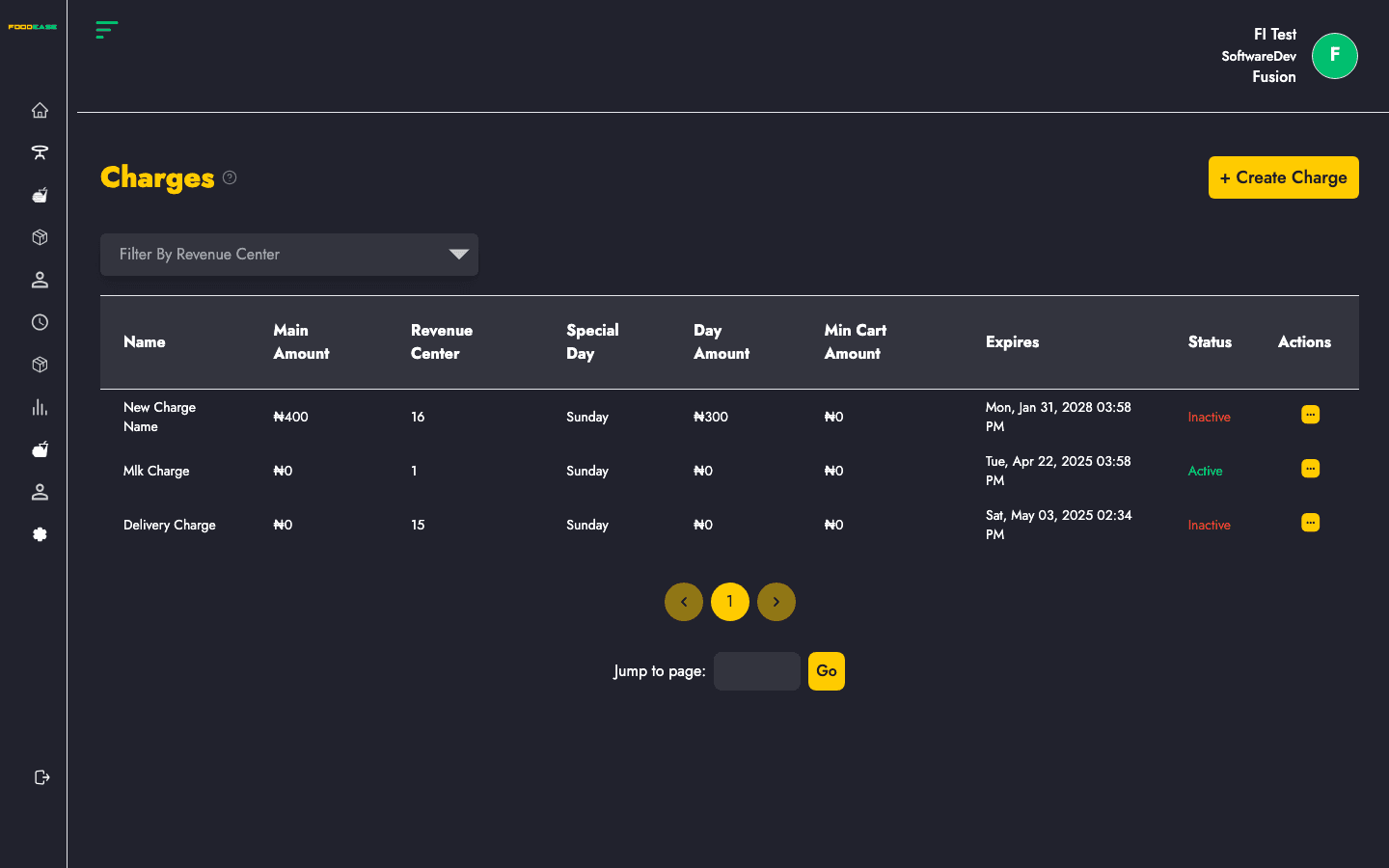
| Column | Description |
|---|---|
| Name | Charge label shown on orders |
| Main Amount | Default charge amount |
| Revenue Center | Number of centres where this charge applies |
| Special Day | Day of week for alternate pricing (if set) |
| Day Amount | Amount on the special day |
| Min Cart Amount | Minimum order value before charge applies |
| Expires | Optional expiry date |
| Status | Active or Inactive |
| Actions | Edit, toggle, or open detail |
You can also Filter by Revenue Center to see charges for one location.
| Field | Description |
|---|---|
| Name | e.g. Service Charge, Takeaway Packaging |
| Amount | Standard fee amount |
| Revenue Centres | Select which locations use this charge |
| Special Day / Day Amount | Optional higher or different fee on a specific weekday |
| Minimum cart amount | Only apply when order exceeds this value |
| Expiry date | Auto-disable after a date (promotions) |
Use Actions → Toggle to disable a charge without deleting history.