
Customers
View, search, and export customers registered on your restaurant website.
In FoodEase Office: Open this page
The Customers List page shows every customer who has signed up on your restaurant website. Search the list and export to PDF or Excel for marketing or support.
You need the View Customer List permission (VIEW_CUSTOMER_LIST).
This page is only available when Has Website is enabled on Restaurant Info. If your restaurant does not use a FoodEase website, the page may not load.
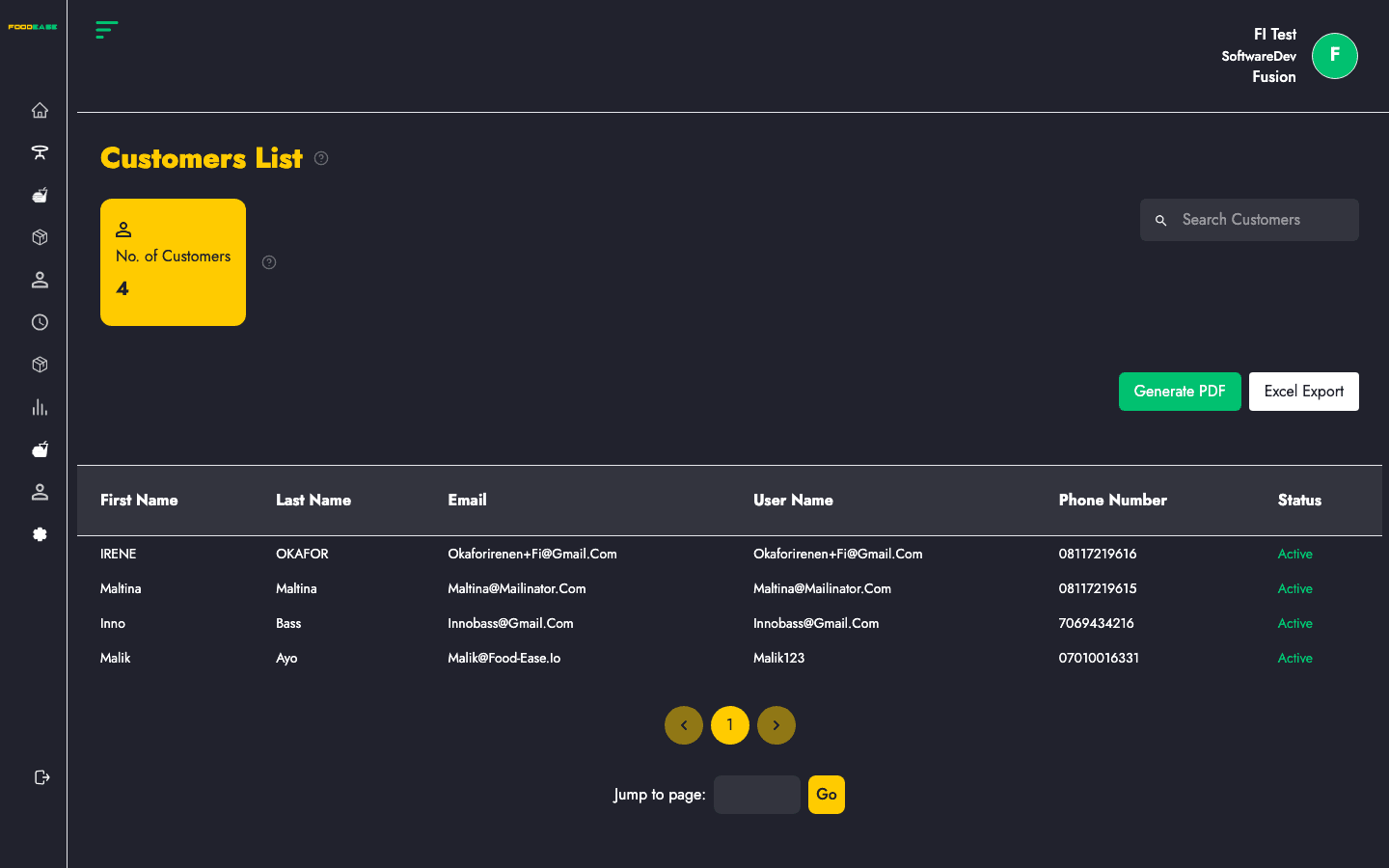
| Area | What it does |
|---|---|
| No. of Customers | Count of customers currently shown |
| Search Customers | Filter by first or last name |
| Generate PDF | Print-friendly customer list |
| Export Excel | Download spreadsheet of customer data |
| Table | Full customer directory |
Type in Search Customers to filter by First Name or Last Name. The count card updates to match filtered results.
| Column | Description |
|---|---|
| First Name | Customer given name |
| Last Name | Customer surname |
| Registration email | |
| User Name | Website login username |
| Phone Number | Contact number |
| Status | Active or inactive |
When customers are loaded:
.xlsx file with First Name, Last Name, Email, User Name, and Phone Number columns