
Inventory
Apply inventory corrections from completed stock takes to update system quantities.
In FoodEase Office: Open this page
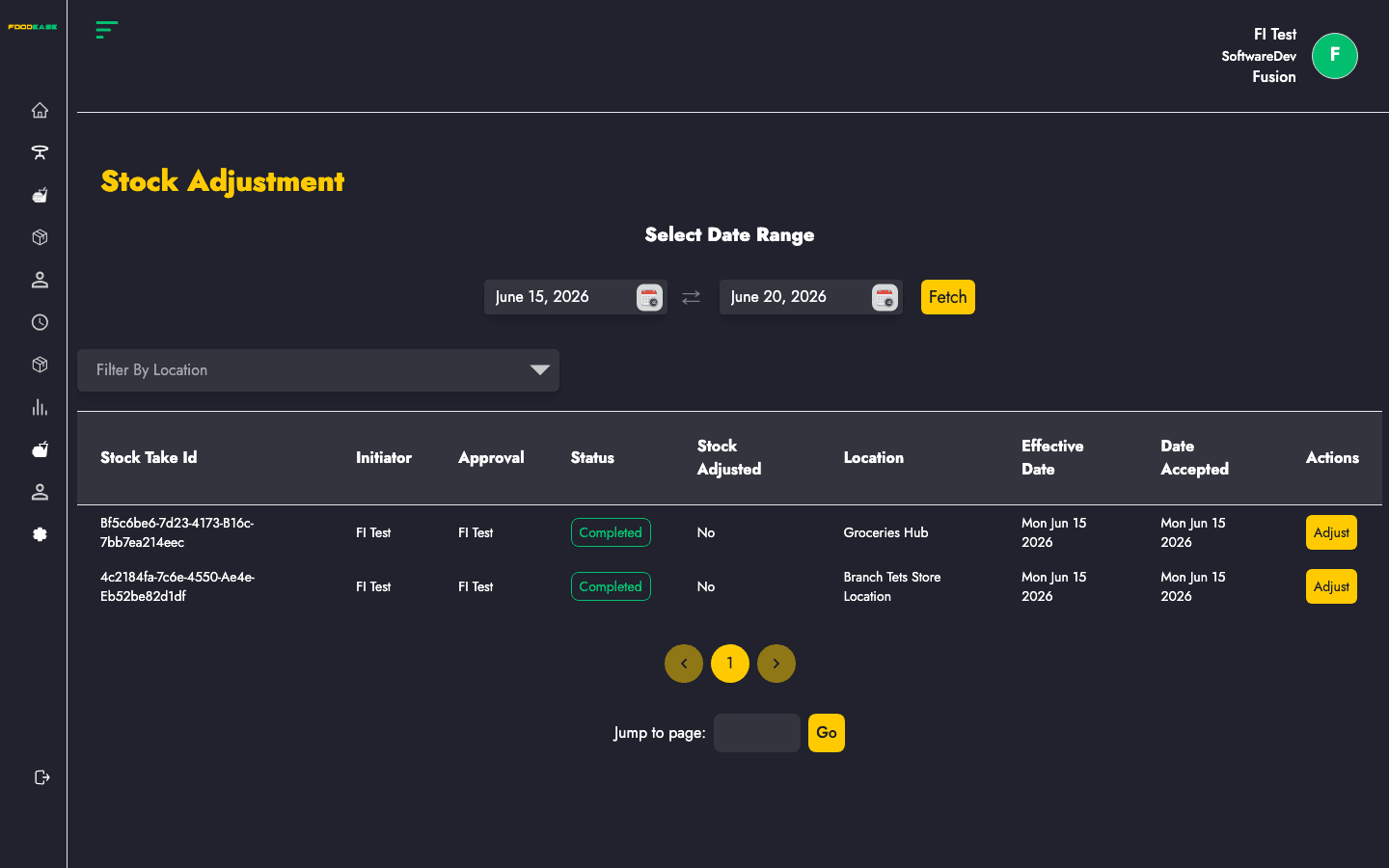
Stock Adjustment posts variances from approved End of Month Inventory (stock take) sessions. Completed stock takes that have not yet been adjusted show an Adjust action; applying adjustment updates stock to match counted quantities.
Users need Edit Stock Take permission.
| Column | Description |
|---|---|
| Stock Take Id | Linked stock take reference |
| Initiator | Staff who performed the count |
| Approval | Approver information |
| Status | Stock take status |
| Stock Adjusted | Yes/No — whether adjustment was applied |
| Location | Store location |
| Effective Date | Count effective date |
| Date Accepted | When the stock take was accepted |
| Actions | Adjust or View |
| Filter / tool | Description |
|---|---|
| Date range | Load stock takes within a period |
| Location | Filter by store location (shown when multiple records exist) |
If no reason is entered, the adjustment is blocked with an error notification.
Rows already adjusted, or non-adjustable statuses, show View instead of Adjust. Open /dashboard/stocks/view-stock-adjustment/{id} to review details.